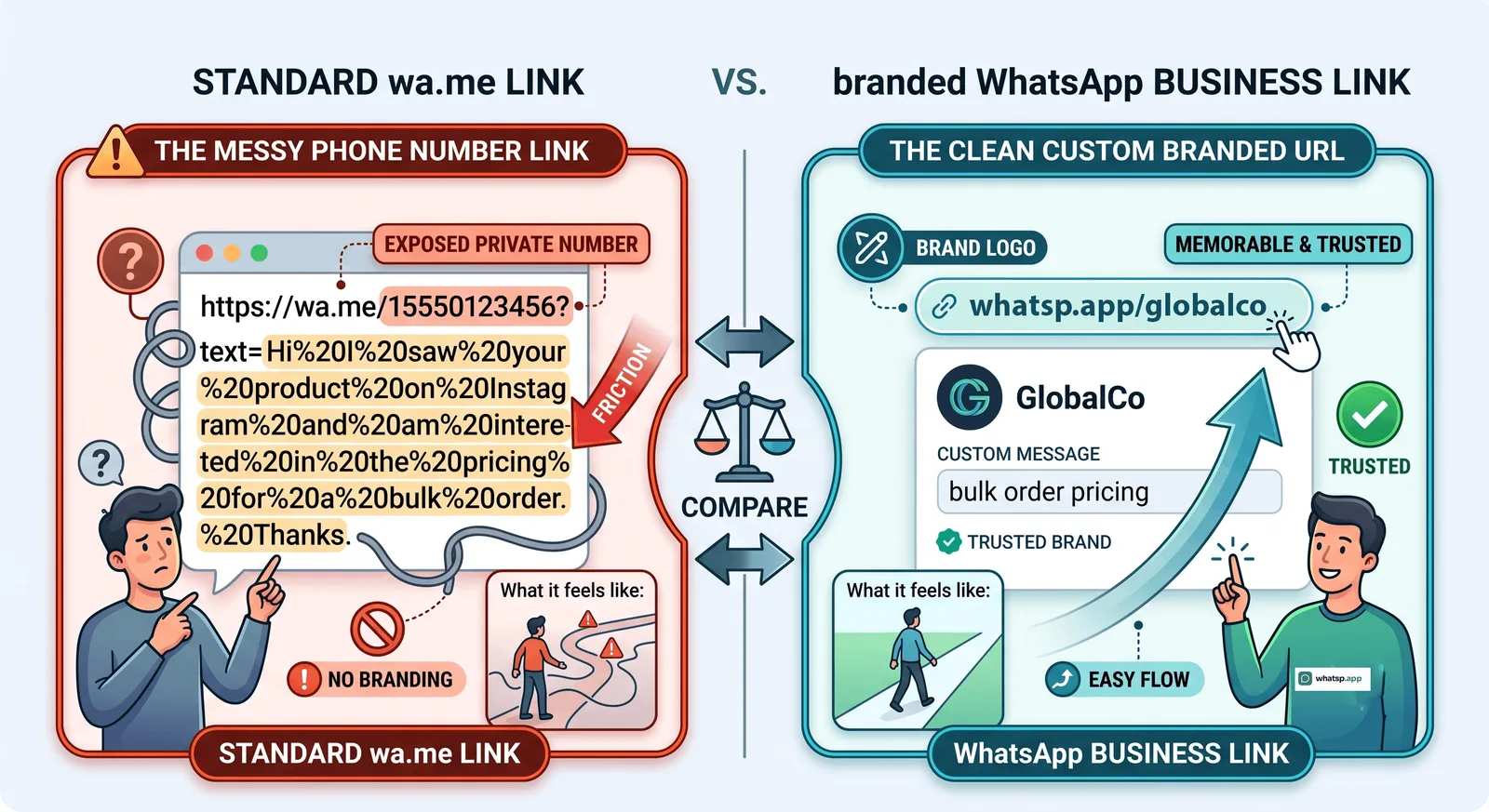
The Ultimate Guide to the WhatsApp Link Generator
Why a WhatsApp Link Generator is Essential for Modern Business
In the digital marketplace, reducing the friction between customer intent and business contact is crucial. Traditionally, a customer had to manually save a phone number before starting a chat on WhatsApp. A whatsapp link generator removes this barrier completely by creating a direct URL that instantly opens a conversation.Using a whatsapp link generator is one of the most effective ways for businesses to connect with their customers. In this guide, you will learn how to leverage a click to chat link, create a customized wa.me link, and effectively utilize a whatsapp business link to boost customer engagement. By removing the friction of saving numbers, your audience can initiate conversations instantly. We will dive deep into the differences between standard links and advanced solutions, giving you clear insights into improving your conversational marketing. Let's explore how these tools simplify digital communication for operations worldwide.
* Frictionless communication — Customers no longer need to manually save your business number to their contacts.
* Improved lead generation — Instantly route users from social media bios, email signatures, or online marketplaces directly into a chat.
* Higher conversion rates — Immediate access to a customer support agent means quicker resolutions and faster sales closure.
Understanding the Varieties: Click to Chat Link and wa.me Link
When dealing with WhatsApp links, you will frequently encounter terms like click to chat link and wa.me link. These concepts refer to the exact same underlying mechanism provided by Meta, though they are configured in slightly different ways.
A click to chat link functions by utilizing the official WhatsApp URL structure. When clicked, it instructs the browser or device to open the WhatsApp application immediately. A wa.me link is simply the official shortened domain version of this tool. For instance, a basic URL looks like [https://wa.me/919876543210](https://wa.me/919876543210), where the number includes the exact country code without any extra characters like plus signs or zeroes.
To make the process easier, using a free tool like the whatsp.app free generator allows you to instantly create these links without needing to memorize the URL formatting rules. You can also review our detailed guide on how to create a WhatsApp link for a full breakdown of standard creation.
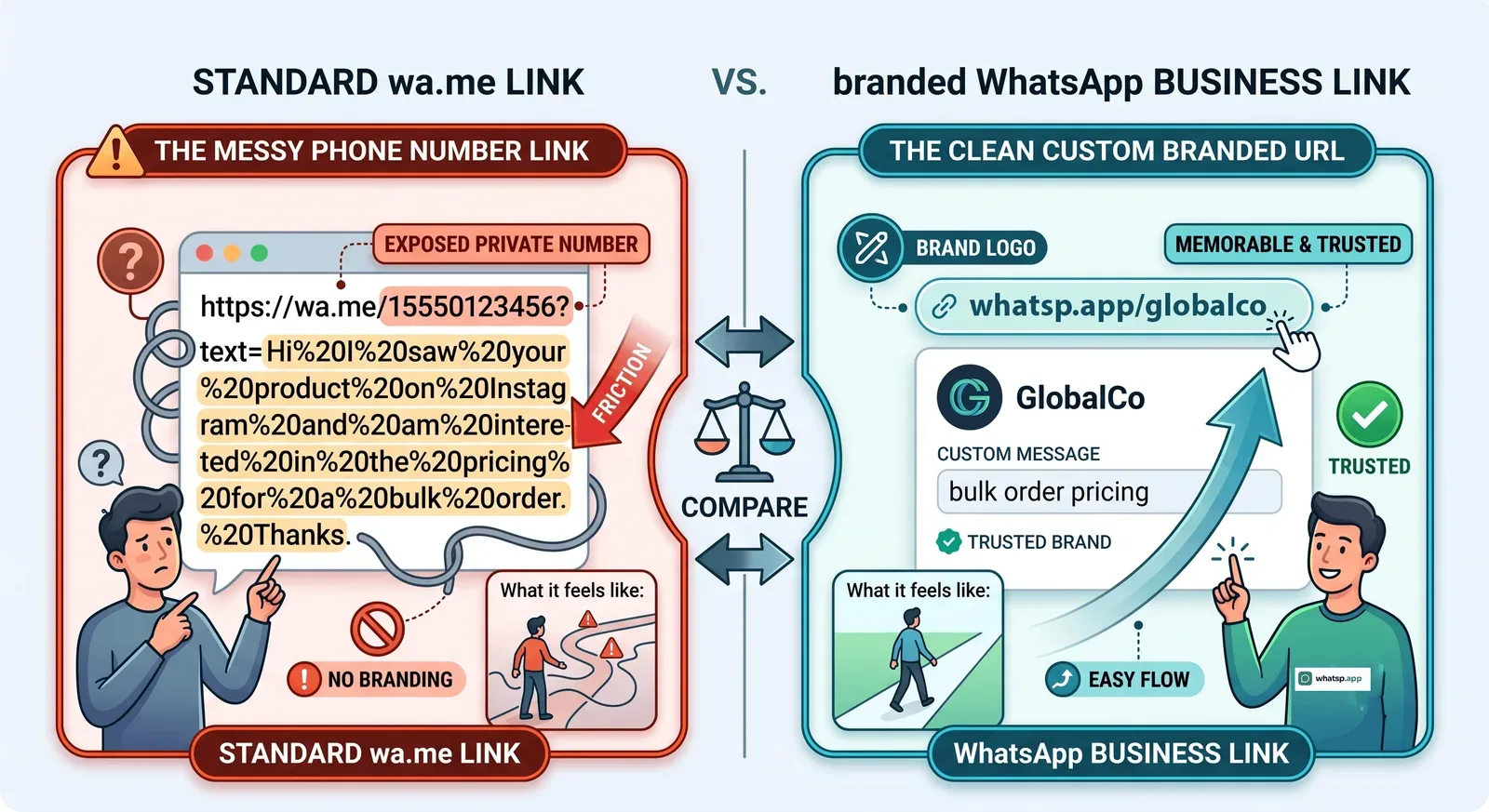
Enhancing Customer Interaction with a WhatsApp Business Link
If you operate a commercial profile, utilizing a dedicated whatsapp business link brings additional utility to your marketing channels. This link can be configured to contain pre-filled messages. When a user clicks your link, a preset template text automatically populates their chat box, allowing them to send messages like "I am interested in your pricing" with a single tap.
Using predefined messages helps businesses categorize incoming traffic. You will know exactly whether a customer came from an Instagram ad, a YouTube video description, or an email newsletter based on the text they send.
Selecting the Right Tool for Your Operations
Choosing how to manage your chat links depends entirely on your business scale and feature requirements. While standard links are useful, specialized tools provide additional branding, analytics, and management features.
| Feature / Goal | Standard wa.me Link | whatsp.app Tools | WhatsApp Business API |
|---|---|---|---|
| Cost | Free | Free to Paid Options | Variable (Per-message fees) |
| Custom Branding | No (Shows phone number) | Yes (e.g., whatsp.app/yourname) | No (Uses official API hooks) |
| Analytics Tracking | None | Available on Paid Plans | Complex Developer Analytics |
| Storefront Integration | None | Growth/Pro Plans | Custom Developer Build |
If your operation grows beyond a basic setup and you need to compare enterprise solutions, read our analysis on whatsapp link vs whatsapp business api to determine which infrastructure fits your trajectory.
Advanced Customization: Branded Links and Storefronts
For businesses focused on building trust, displaying a raw phone number in a URL can sometimes look unprofessional or untrustworthy. Transitioning to a branded short link solves this issue completely by masking the phone number with a clean corporate identifier.
* Branded short links — Secure a recognizable URL to elevate your brand identity across channels by exploring the available whatsp.app pricing plans.
* Public storefronts — Display up to 300 products, receive direct client reviews, and allow customers to browse your inventory before initiating a conversation.
* Team management — Allow up to 3 staff members to log in and manage your account details seamlessly under premium tiers.
For technical guidance on deployment or managing custom domains, you can always visit our comprehensive whatsp.app help center to view documentation.
10 நாட்களுக்கு இலவசம்
Growth திட்டத்தை 10 நாட்களுக்கு இலவசமாக முயற்சிக்கவும்
பிராண்டட் இணைப்புகள், ஸ்டோர்ஃபிரண்ட், தயாரிப்புகள் மற்றும் அனலிட்டிக்ஸைத் திறக்கவும் — கார்டு தேவையில்லை.
இலவச Growth டிரையலைத் தொடங்குங்கள்அடிக்கடி கேட்கப்படும் கேள்விகள்
முடிவுரை
WhatsApp இணைப்புகள் உங்கள் வணிகத்திற்கும் வாடிக்கையாளர்களுக்கும் இடையிலான தடையை நீக்குகின்றன — ஒரே கிளிக்கில் அவர்கள் உரையாடலில் இணைகிறார்கள். whatsp.app-இன் இலவச WhatsApp இணைப்பு ஜெனரேட்டர் மூலம், நீங்கள் கிளிக்-டு-சாட் இணைப்புகளை உருவாக்கலாம், முன் நிரப்பப்பட்ட செய்திகளைச் சேர்க்கலாம், QR குறியீடுகளை உருவாக்கலாம் மற்றும் பிராண்டட் குறுகிய URL களைக் கிளைம் செய்யலாம் — பதிவு செய்யாமலேயே. தொடங்கத் தயாரா? உங்களின் இலவச WhatsApp இணைப்பை இப்போதே உருவாக்குங்கள், அல்லது உங்கள் தயாரிப்புகளைக் காண்பிக்கவும் உங்கள் வணிகத்தை WhatsApp-ல் வளர்க்கவும் ஒரு பிராண்டட் WhatsApp ஸ்டோர்ஃபிரண்டை உருவாக்குங்கள்.
இலவசமாகத் தொடங்குங்கள்
உங்கள் WhatsApp இணைப்பை உருவாக்கத் தயாரா?
எங்கள் இலவச WhatsApp இணைப்பு ஜெனரேட்டரைப் பயன்படுத்துங்கள் — பதிவு செய்யத் தேவையில்லை. அல்லது உங்கள் பிராண்டட் குறுகிய இணைப்பைக் கிளைம் செய்து WhatsApp ஸ்டோர்ஃபிரண்டை உருவாக்குங்கள்.