How to Create a WhatsApp Link : Free Step-by-Step Tutorial
Why Your Business Needs a WhatsApp Click to Chat
In today's fast-paced digital economy, speed and convenience dictate customer behavior. If a potential buyer has to jump through hoops to ask a simple question about your product, they will likely abandon the purchase and move to a competitor. Implementing a seamless whatsapp click to chat strategy is the ultimate solution to this problem.
By utilizing a direct chat link, you bypass the traditional requirement of saving a contact number. When a user clicks your link on their smartphone, the WhatsApp application opens automatically, placing them directly into a chat window with your business profile. If they click the link on a desktop computer, it opens WhatsApp Web.
Here are the main reasons why businesses rely on these links:
* Reduce friction — customers do not need to save your number to start talking to you.
* Cross-platform utility — you can place these links in Instagram bios, email signatures, YouTube descriptions, and digital advertisements.
* Higher conversion rates — by making it incredibly easy to start a conversation, you capture leads while their buying intent is at its highest point.
Understanding How to Create wa.me Link Manually
If you want to understand How to create a WhatsApp Link and the mechanics behind these URLs, you can easily create wa.me link structures manually. The official application provides a universal domain specifically designed for this purpose.
To build a basic link yourself, you must start with the official standard URL: [https://wa.me/](https://wa.me/). Immediately after the forward slash, you must append your full phone number in international format. The most critical rule to remember here is that you must omit any leading zeros, brackets, dashes, or plus signs.
For example, if you have an Indian phone number that looks like +91 98765 43210, your properly formatted link will simply be [https://wa.me/919876543210](https://wa.me/919876543210).
If you make a formatting mistake, the link will result in an error message for your customer. You can read more about formatting nuances directly in the WhatsApp click to chat FAQ provided by Meta.
The Advantage of Using a Free WhatsApp Link Generator
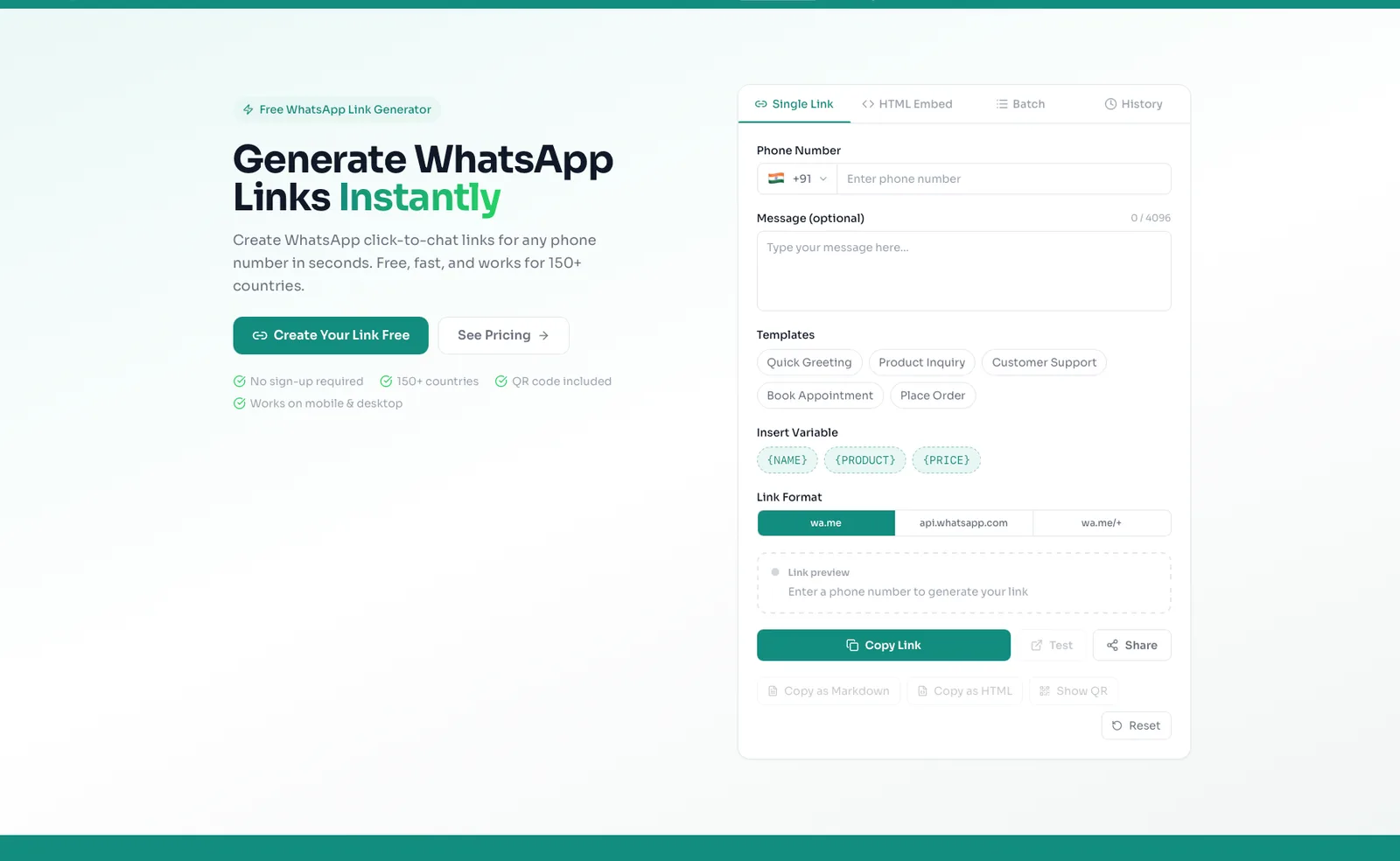
While building a URL manually is possible, it leaves room for human error and makes adding advanced features difficult. To avoid formatting mistakes and save time, the smartest approach is to use a free whatsapp link generator.
Using a dedicated platform like whatsp.app allows you to access a free click-to-chat link generator and automatically generate QR codes without any account signup required[cite: 1]. You simply input your information into an easy-to-use graphical interface, and the tool outputs a perfectly formatted link that is guaranteed to work.
Additionally, a generator makes it incredibly simple to add a pre-filled message. A pre-filled message is text that automatically populates in the customer's text box when they click your link. Instead of starting with a blank screen, the customer sees a message like "Hi, I would like to order a product," which they can send with a single tap. If you want to explore more about generation tools, read our comprehensive guide on choosing a whatsapp link generator.
Upgrading Beyond the Basics
Once you master how to create whatsapp link setups for basic communication, you may find that a raw phone number URL looks unprofessional in your marketing campaigns. When your business grows, upgrading your link infrastructure becomes highly beneficial.
The whatsp.app platform is an all-in-one tool designed for businesses that need more than just a basic URL[cite: 1]. If you want a professional appearance, you can secure branded short links (such as whatsp.app/yourname)[cite: 1].
Here is a quick overview of what upgrading can offer your business:
* Starter Plan — for ₹99 or $4.99 a month, you receive a branded short link, basic analytics, and HTML embed options[cite: 1].
* Growth Plan — for ₹499 or $14.99 a month, you unlock up to two branded links and a public storefront capable of displaying up to 50 products and customer reviews[cite: 1].
* Pro Plan — for ₹699 or $19.99 a month, you get up to three branded links, a storefront for up to 300 products, a verified badge, 90-day analytics, and staff logins for three team members[cite: 1].
| Feature | Free Link | Branded Tool (Starter) | Storefront (Growth/Pro) |
|---|---|---|---|
| Cost | Free | ₹99 / $4.99 mo | From ₹499 / $14.99 mo |
| Custom URL | No | Yes | Yes |
| Track Analytics | No | Yes | Yes |
| Display Products | No | No | Yes (50 to 300 items) |
If you are ready to move past raw phone numbers and build a trustworthy digital storefront, you can compare plans and see pricing to find the perfect fit for your growing operations.
Guide étape par étape
Step 1: Open the free link generator tool
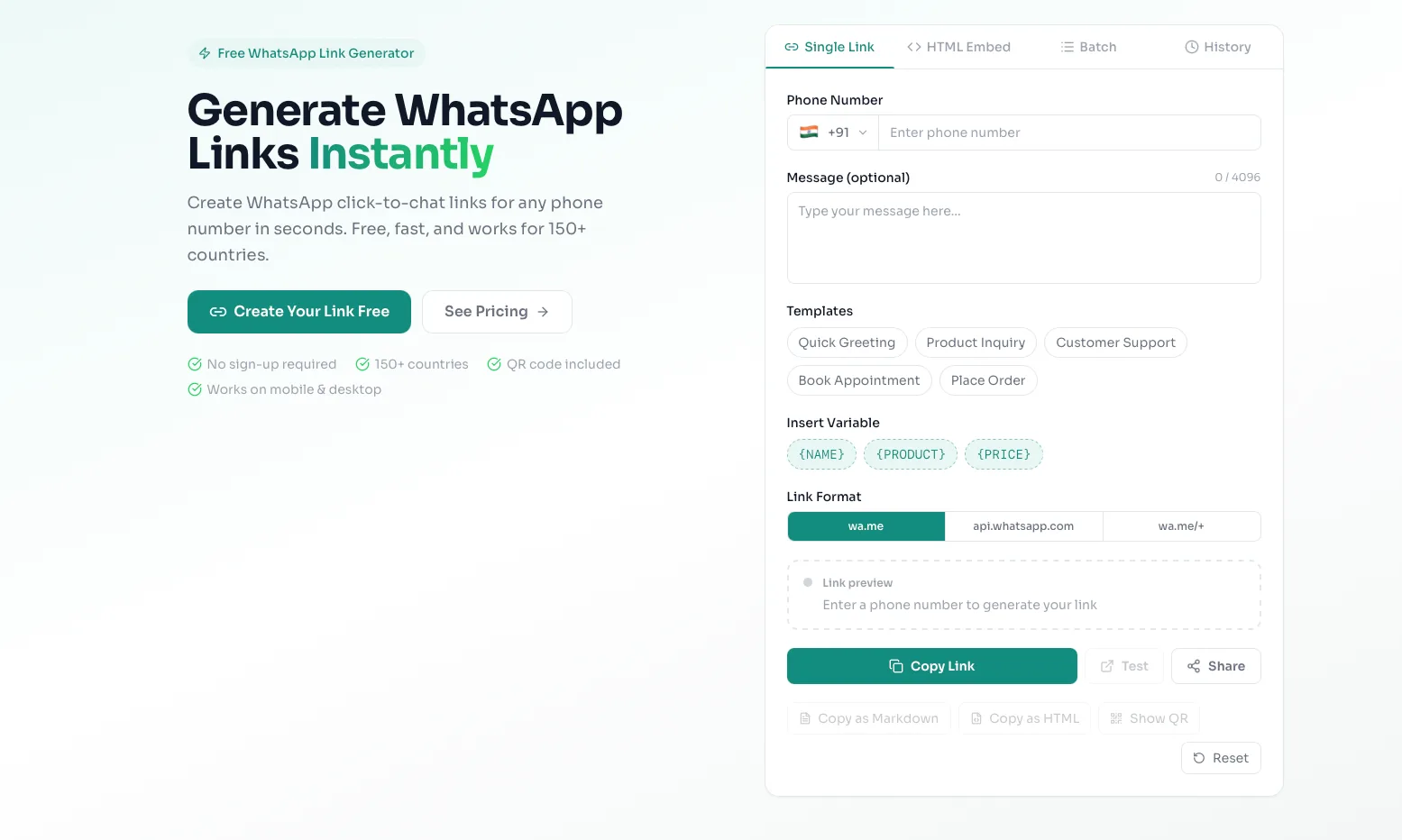
Navigate your web browser to the whatsp.app homepage. Here, you will find our secure and free tool located right at the top of the page. There is no need to register for an account or provide an email address to use this specific tool.
Step 2: Enter your business phone number
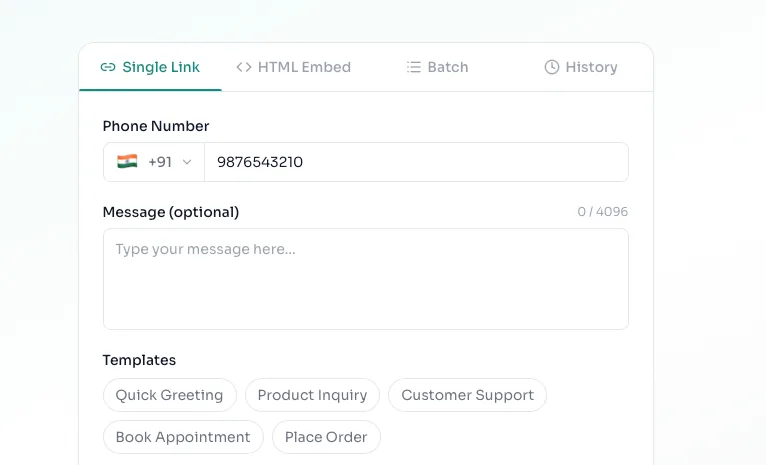
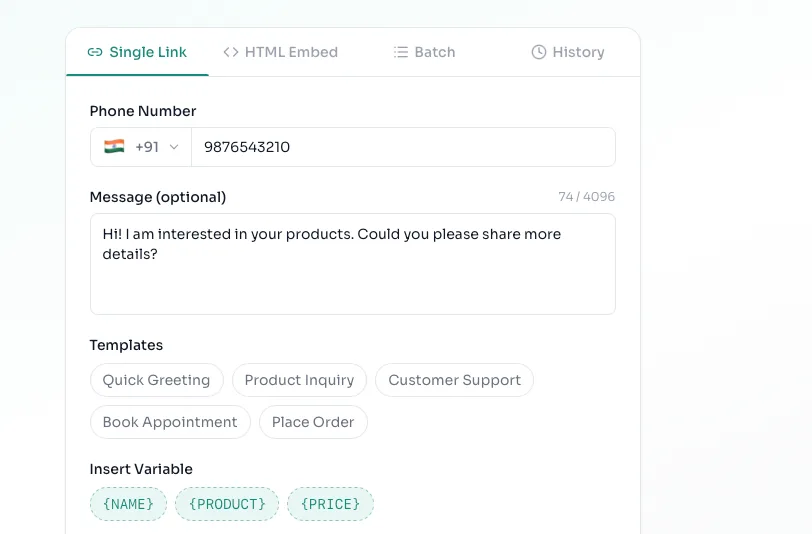
Locate the phone number input field. You must first select your country dial code from the dropdown menu (for example, select India to automatically apply the +91 code). Then, type in your business mobile number precisely as it is registered on your WhatsApp application.
Step 3: Write an engaging pre-filled message
Below the phone number field, you will see a text box for your custom message. Type the exact phrase you want your customers to send you. We highly recommend making this specific to the link's location. For example, if this link will be placed on an Instagram shoe advertisement, type: "Hello, I am interested in buying shoes from your Instagram ad."
Step 4: Generate and copy your new link
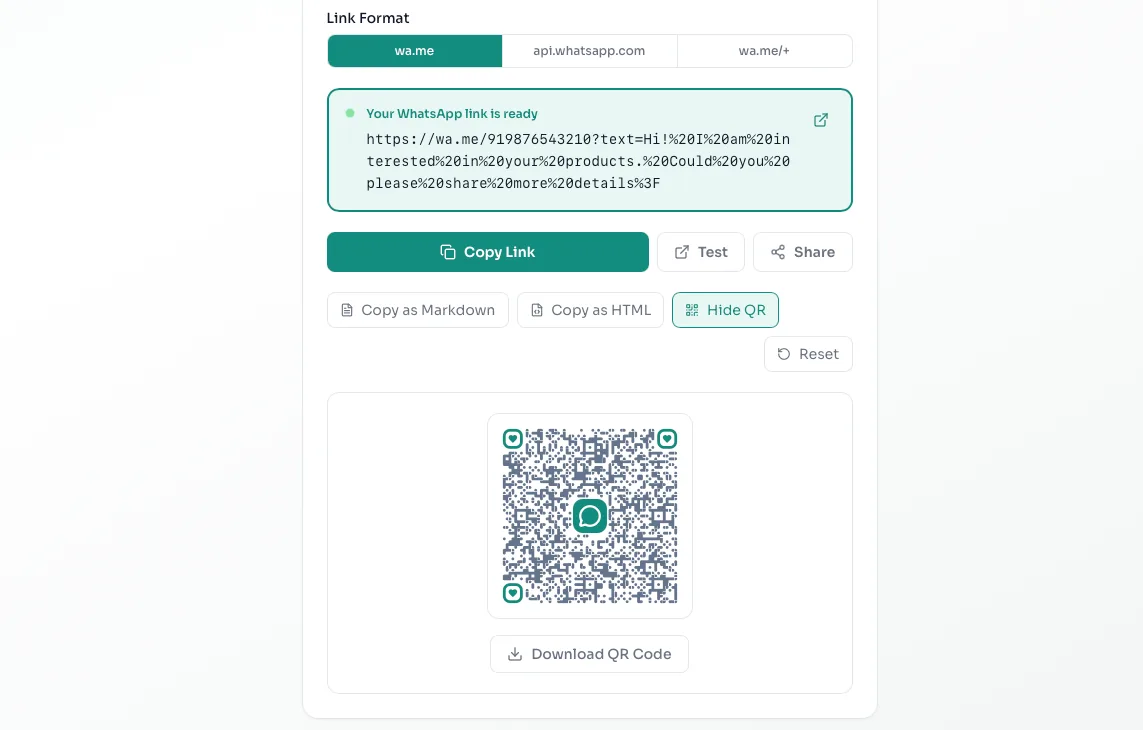
Click the primary generate button. The tool will instantly process your inputs and provide you with a clean, perfectly formatted URL. You can use the copy button to save the link to your clipboard. You can also download the automatically generated QR code, which is perfect for printing on business cards, menus, or shop windows[cite: 1]. Always paste the link into your own browser first to test it before sharing it publicly.
Gratuit pendant 10 jours
Essayez le plan Growth gratuitement pendant 10 jours
Débloquez les liens de marque, la vitrine, les produits et les analyses — aucune carte requise.
Démarrer l’essai Growth gratuitQuestions fréquentes
Conclusion
Les liens WhatsApp éliminent les frictions entre votre entreprise et vos clients — un seul clic et ils sont en conversation. Avec le générateur de liens WhatsApp gratuit de whatsp.app, vous pouvez créer des liens click-to-chat, ajouter des messages pré-remplis, générer des codes QR et réclamer des URL courtes de marque — le tout sans inscription. Prêt à commencer ? Créez votre lien WhatsApp gratuit maintenant, ou créez une vitrine WhatsApp de marque pour présenter vos produits et développer votre entreprise sur WhatsApp.
Commencer gratuitement
Prêt à créer votre lien WhatsApp ?
Utilisez notre générateur de lien WhatsApp gratuit — aucune inscription requise. Ou réclamez votre lien court de marque et créez une vitrine WhatsApp.