How to Create a WhatsApp Link : Free Step-by-Step Tutorial
Why Your Business Needs a WhatsApp Click to Chat
In today's fast-paced digital economy, speed and convenience dictate customer behavior. If a potential buyer has to jump through hoops to ask a simple question about your product, they will likely abandon the purchase and move to a competitor. Implementing a seamless whatsapp click to chat strategy is the ultimate solution to this problem.
By utilizing a direct chat link, you bypass the traditional requirement of saving a contact number. When a user clicks your link on their smartphone, the WhatsApp application opens automatically, placing them directly into a chat window with your business profile. If they click the link on a desktop computer, it opens WhatsApp Web.
Here are the main reasons why businesses rely on these links:
* Reduce friction — customers do not need to save your number to start talking to you.
* Cross-platform utility — you can place these links in Instagram bios, email signatures, YouTube descriptions, and digital advertisements.
* Higher conversion rates — by making it incredibly easy to start a conversation, you capture leads while their buying intent is at its highest point.
Understanding How to Create wa.me Link Manually
If you want to understand How to create a WhatsApp Link and the mechanics behind these URLs, you can easily create wa.me link structures manually. The official application provides a universal domain specifically designed for this purpose.
To build a basic link yourself, you must start with the official standard URL: [https://wa.me/](https://wa.me/). Immediately after the forward slash, you must append your full phone number in international format. The most critical rule to remember here is that you must omit any leading zeros, brackets, dashes, or plus signs.
For example, if you have an Indian phone number that looks like +91 98765 43210, your properly formatted link will simply be [https://wa.me/919876543210](https://wa.me/919876543210).
If you make a formatting mistake, the link will result in an error message for your customer. You can read more about formatting nuances directly in the WhatsApp click to chat FAQ provided by Meta.
The Advantage of Using a Free WhatsApp Link Generator
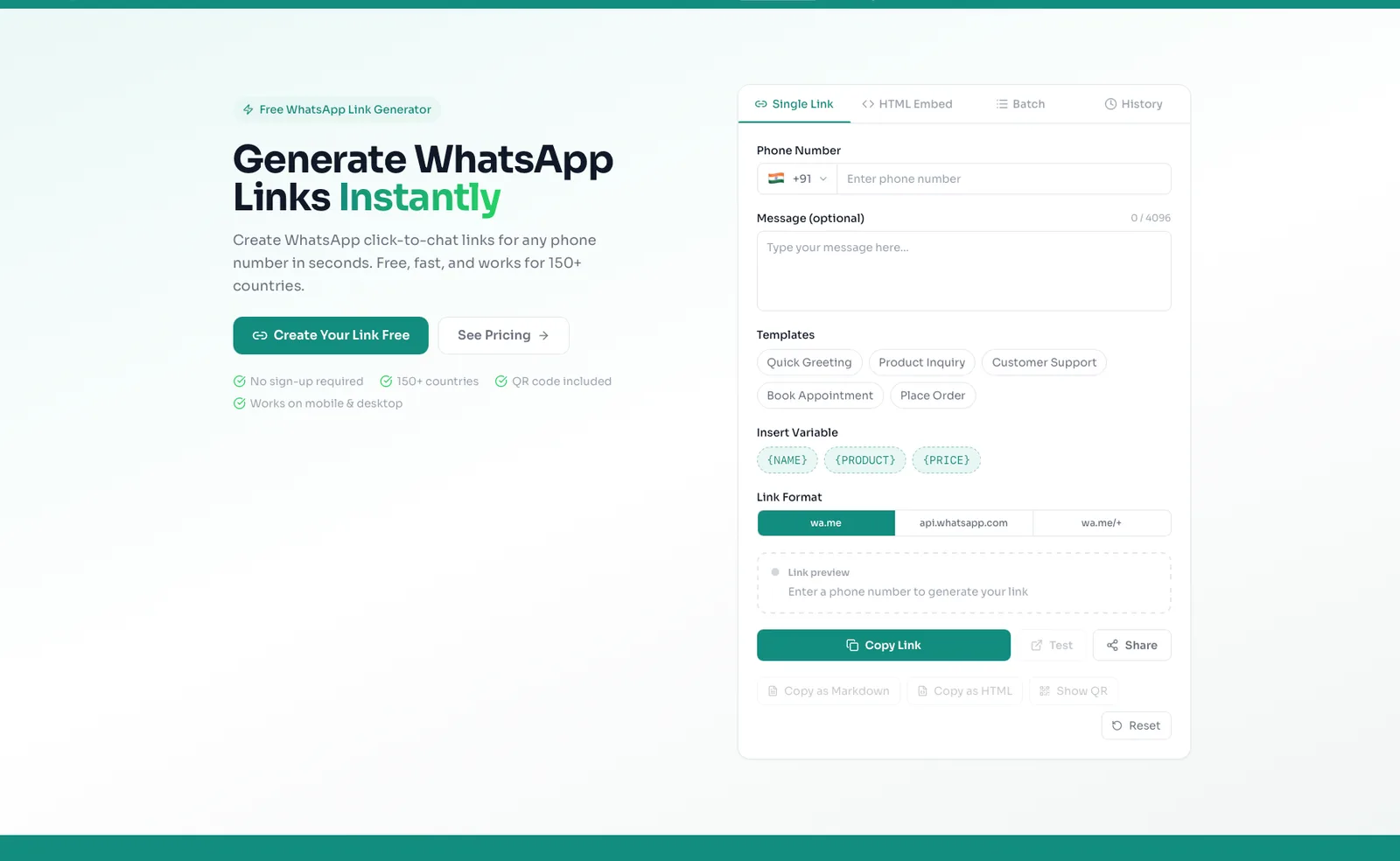
While building a URL manually is possible, it leaves room for human error and makes adding advanced features difficult. To avoid formatting mistakes and save time, the smartest approach is to use a free whatsapp link generator.
Using a dedicated platform like whatsp.app allows you to access a free click-to-chat link generator and automatically generate QR codes without any account signup required[cite: 1]. You simply input your information into an easy-to-use graphical interface, and the tool outputs a perfectly formatted link that is guaranteed to work.
Additionally, a generator makes it incredibly simple to add a pre-filled message. A pre-filled message is text that automatically populates in the customer's text box when they click your link. Instead of starting with a blank screen, the customer sees a message like "Hi, I would like to order a product," which they can send with a single tap. If you want to explore more about generation tools, read our comprehensive guide on choosing a whatsapp link generator.
Upgrading Beyond the Basics
Once you master how to create whatsapp link setups for basic communication, you may find that a raw phone number URL looks unprofessional in your marketing campaigns. When your business grows, upgrading your link infrastructure becomes highly beneficial.
The whatsp.app platform is an all-in-one tool designed for businesses that need more than just a basic URL[cite: 1]. If you want a professional appearance, you can secure branded short links (such as whatsp.app/yourname)[cite: 1].
Here is a quick overview of what upgrading can offer your business:
* Starter Plan — for ₹99 or $4.99 a month, you receive a branded short link, basic analytics, and HTML embed options[cite: 1].
* Growth Plan — for ₹499 or $14.99 a month, you unlock up to two branded links and a public storefront capable of displaying up to 50 products and customer reviews[cite: 1].
* Pro Plan — for ₹699 or $19.99 a month, you get up to three branded links, a storefront for up to 300 products, a verified badge, 90-day analytics, and staff logins for three team members[cite: 1].
| Feature | Free Link | Branded Tool (Starter) | Storefront (Growth/Pro) |
|---|---|---|---|
| Cost | Free | ₹99 / $4.99 mo | From ₹499 / $14.99 mo |
| Custom URL | No | Yes | Yes |
| Track Analytics | No | Yes | Yes |
| Display Products | No | No | Yes (50 to 300 items) |
If you are ready to move past raw phone numbers and build a trustworthy digital storefront, you can compare plans and see pricing to find the perfect fit for your growing operations.
ধাপে ধাপে গাইড
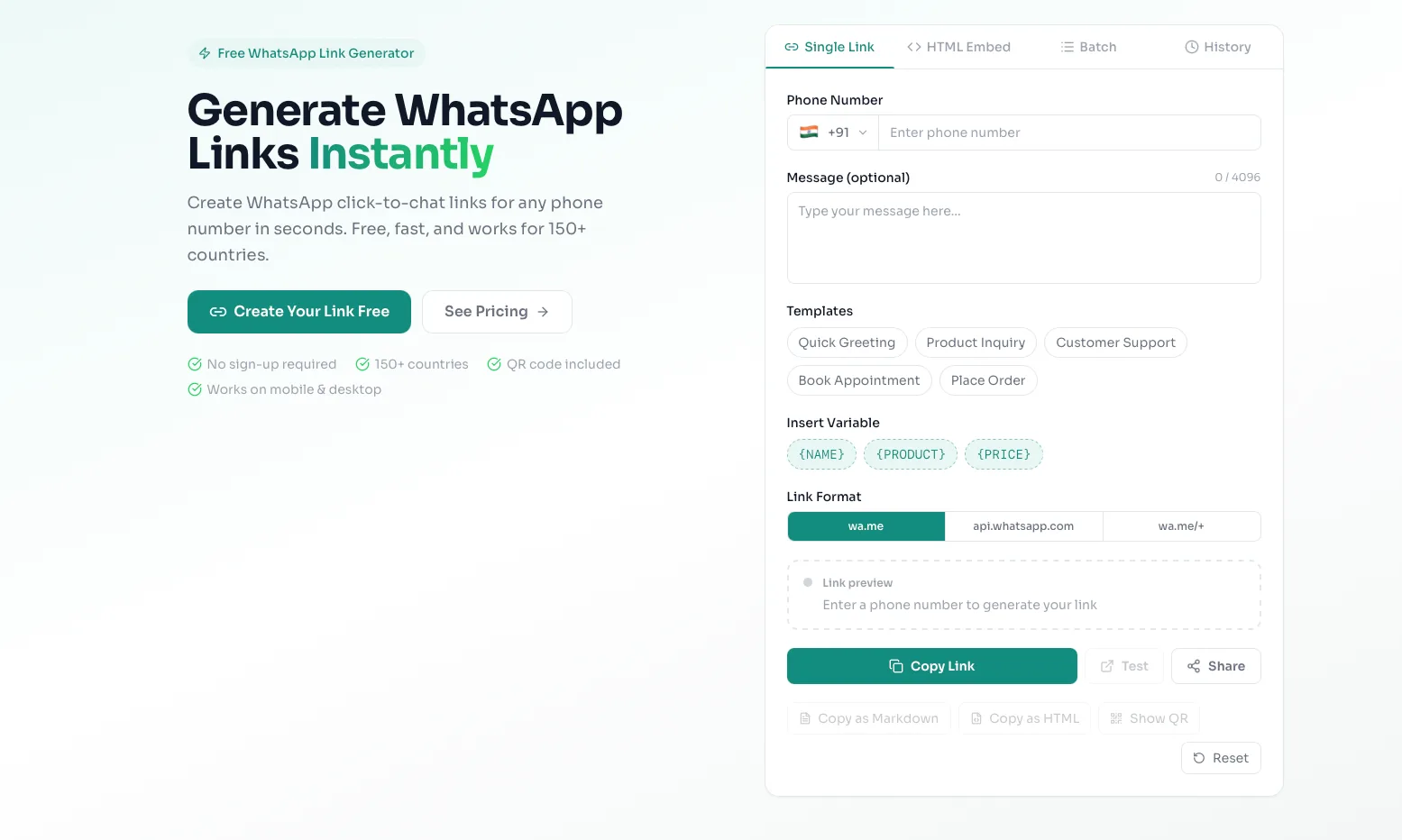
Step 1: Open the free link generator tool
Navigate your web browser to the whatsp.app homepage. Here, you will find our secure and free tool located right at the top of the page. There is no need to register for an account or provide an email address to use this specific tool.
Step 2: Enter your business phone number
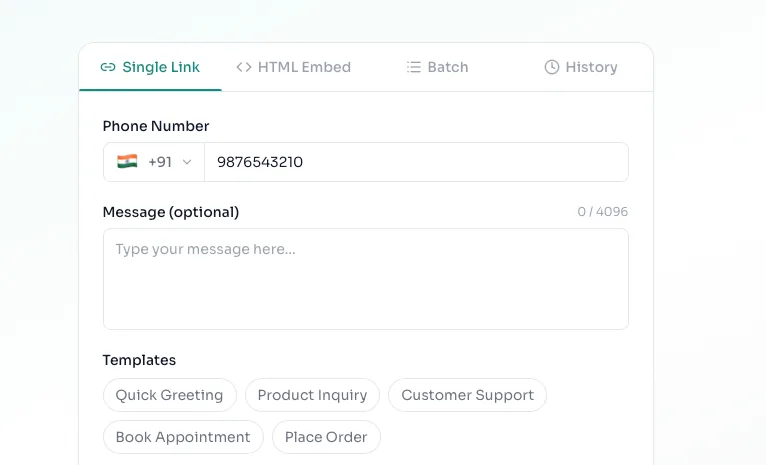
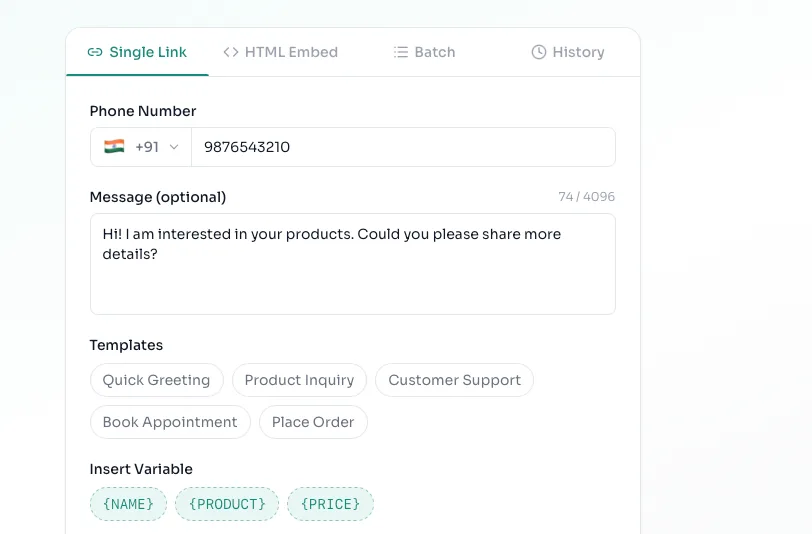
Locate the phone number input field. You must first select your country dial code from the dropdown menu (for example, select India to automatically apply the +91 code). Then, type in your business mobile number precisely as it is registered on your WhatsApp application.
Step 3: Write an engaging pre-filled message
Below the phone number field, you will see a text box for your custom message. Type the exact phrase you want your customers to send you. We highly recommend making this specific to the link's location. For example, if this link will be placed on an Instagram shoe advertisement, type: "Hello, I am interested in buying shoes from your Instagram ad."
Step 4: Generate and copy your new link
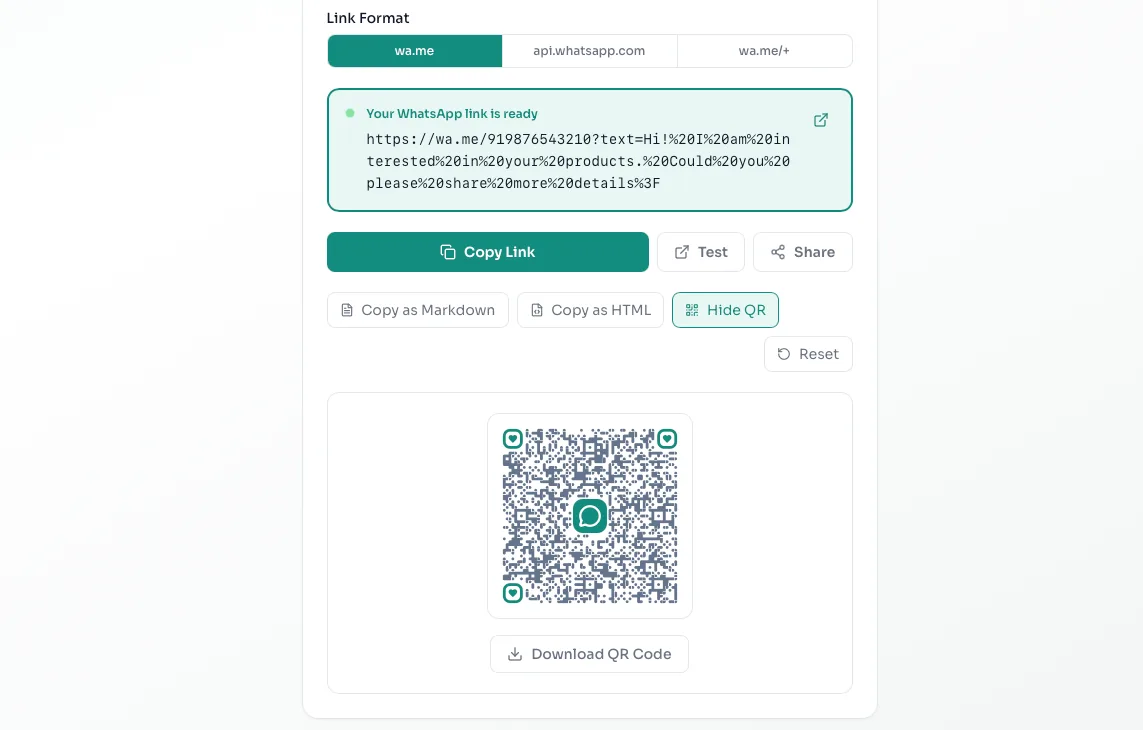
Click the primary generate button. The tool will instantly process your inputs and provide you with a clean, perfectly formatted URL. You can use the copy button to save the link to your clipboard. You can also download the automatically generated QR code, which is perfect for printing on business cards, menus, or shop windows[cite: 1]. Always paste the link into your own browser first to test it before sharing it publicly.
১০ দিনের জন্য বিনামূল্যে
Growth প্ল্যান ১০ দিনের জন্য বিনামূল্যে ব্যবহার করুন
ব্র্যান্ডেড লিঙ্ক, স্টোরফ্রন্ট, প্রোডাক্ট এবং অ্যানালিটিক্স আনলক করুন — কার্ড লাগবে না।
বিনামূল্যে Growth ট্রায়াল শুরু করুনপ্রায়শই জিজ্ঞাসিত প্রশ্ন
উপসংহার
WhatsApp লিঙ্কগুলি আপনার ব্যবসা এবং আপনার গ্রাহকদের মধ্যে বাধা দূর করে — একটি ক্লিকেই তারা কথোপকথনে যুক্ত হয়। whatsp.app-এর ফ্রি WhatsApp লিঙ্ক জেনারেটরের সাহায্যে, আপনি সাইন আপ না করেই ক্লিক-টু-চ্যাট লিঙ্ক তৈরি করতে, প্রি-ফিল করা মেসেজ যোগ করতে, QR কোড জেনারেট করতে এবং ব্র্যান্ডেড ছোট URL ক্লেইম করতে পারেন। শুরু করতে প্রস্তুত? এখনই আপনার ফ্রি WhatsApp লিঙ্ক তৈরি করুন, অথবা আপনার পণ্যগুলি প্রদর্শন করতে এবং WhatsApp-এ আপনার ব্যবসা বাড়াতে একটি ব্র্যান্ডেড WhatsApp স্টোরফ্রন্ট তৈরি করুন।
ফ্রিতে শুরু করুন
আপনার WhatsApp লিঙ্ক তৈরি করতে প্রস্তুত?
আমাদের ফ্রি WhatsApp লিঙ্ক জেনারেটর ব্যবহার করুন — কোনো সাইন-আপের প্রয়োজন নেই। অথবা আপনার ব্র্যান্ডেড ছোট লিঙ্ক ক্লেইম করুন এবং একটি WhatsApp স্টোরফ্রন্ট তৈরি করুন।